
Supernote × LAMY safari vista EMR Pen Plus
Regular price$129.00 USD Sale pricePickup currently unavailable
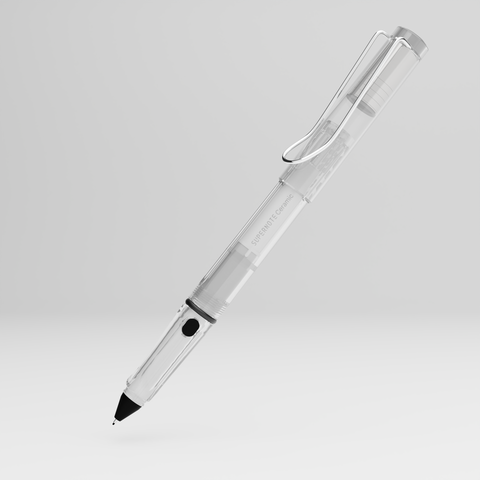
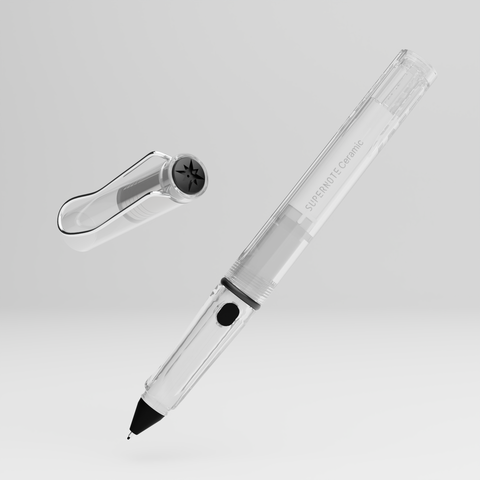
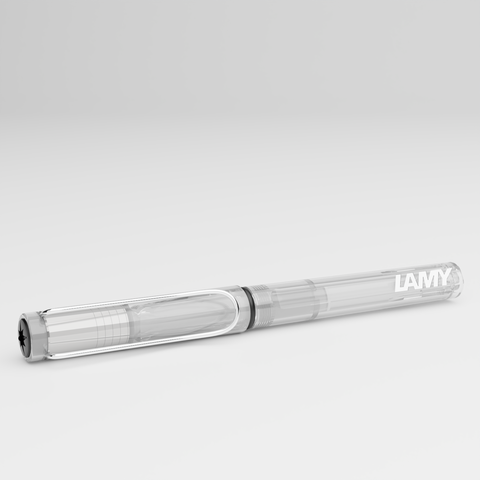
Co-engineered by Supernote and LAMY, the safari vista EMR Pen Plus pairs a Ceramic NeverReplace Nib with a customizable side button, in a beautiful transparent body.
The 0.65 mm nib is finer than before, giving you more precision for small handwriting and detail. A spring inside the refill lets the nib retract on impact and return to position, helping protect it from chips and cracks.
On Supernote devices, the nib is designed to never need replacing, because FeelWrite 2 Self-recovery Soft Film works with it. The nib presses slightly into the film and the film recovers, adding depth to the friction under every stroke. Nib and film are tuned together.
The side button can be set to either eraser or lasso, giving you a quick shortcut while you write. The pen is battery-free and never needs charging.
*Please check compatibility carefully before ordering:
Supernote Manta and Nomad
Update to Chauvet 3.30.45 or later. After updating, the side button works the same at any distance from the screen. Without the update, the side button depends on how far the pen nib is from the screen:
- Near (1 cm or less): Press and hold the side button, then place the nib on the screen to trigger the mapped function, either eraser or lasso.
- Far (more than 1 cm): Press and hold the side button, then place the nib on the screen to trigger the eraser.
Supernote A5 X and A6 X
The side button depends on how far the pen nib is from the screen:
- Near (1 cm or less): Press and hold the side button, then place the nib on the screen to trigger the mapped function, either eraser or lasso.
- Far (more than 1 cm): Press and hold the side button, then place the nib on the screen to trigger the eraser.
Supernote A5 and A6
Far only (more than 1 cm): Press and hold the side button, then place the nib on the screen to trigger the eraser.
Dimensions
138 mm × 13 mm
Weight
Approximately 20 g
Materials
Transparent plastic
Nib Type
Ceramic NeverReplace Nib
Nib Diameter
0.65 mm
Pressure Sensitivity
4096 levels
Battery
Battery-free, no charging required
Side Button
Yes
Supernote Manta and Nomad
Update to Chauvet 3.30.45 or later. After updating, the side button works the same at any distance from the screen. Without the update, the side button depends on how far the pen nib is from the screen:
- Near (1 cm or less): Press and hold the side button, then place the nib on the screen to trigger the mapped function, either eraser or lasso.
- Far (more than 1 cm): Press and hold the side button, then place the nib on the screen to trigger the eraser.
Supernote A5 X and A6 X
The side button depends on how far the pen nib is from the screen:
- Near (1 cm or less): Press and hold the side button, then place the nib on the screen to trigger the mapped function, either eraser or lasso.
- Far (more than 1 cm): Press and hold the side button, then place the nib on the screen to trigger the eraser.
Supernote A5 and A6
Far only (more than 1 cm): Press and hold the side button, then place the nib on the screen to trigger the eraser.


